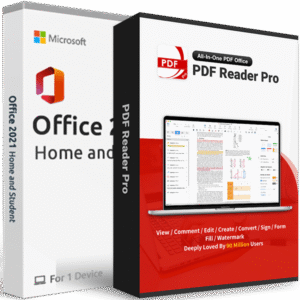
- Install for one device
- One-time purchase for 1 person
- Licensed for home and school use
- Runs on Windows 10 & 11 (PC version only)
- Create amazing and engaging documents using Word 2021
Microsoft Word 2021 is the perfect choice for you!
Looking for a desktop word processing application that is both powerful and easy to use? Then Microsoft Word 2021 is the perfect choice for you! This latest version of Word comes packed with new features and improvements that make it one of the best word processors on the market today. Here are just some of the things you can expect with Microsoft Word 2021:
- A sleek and modern interface that is easy to navigate
- New tools and features that make creating documents more efficient than ever before
- Improved collaboration capabilities that allow you to work on documents with others in real-time
- Enhanced security features to keep your documents safe and secure
Word 2021 is the perfect solution for anyone who’s looking to upgrade or switch from their current platform. With compatibility with both Windows 10 and 11, this new version has you covered no matter what type of computer system you’re using!
Don’t miss out on this incredible word processor – get Microsoft Word 2021 today! Here at Softwaredepot, you can be sure you’re getting the best price on the market. We offer a low price guarantee on all of our software products, so you can be confident you’re getting the best deal.
Word 2021 offers an intuitive interface that can help save you time and improve your work efficiency
For example, Word 2021 includes a powerful spell checker to prevent mistakes from occurring while writing content for various purposes such as resumes or newsletters with ease! It also comes equipped with templates according to whatever you need, such as newsletters, certificates, or even for more general use.
The latest Word 2021 also has a completely new, yet familiar interface. The new design features a simplified ribbon interface to make it easier for users to find and use the features they need.
New in Word 2021
Design Overhaul – Word 2021 is the most convenient word processor yet! It includes an all-new Monoline iconography that communicates action with visuals, making it easier than ever to complete your work quickly and accurately.
Improved Performance – Word 2021 provides a smoother ride with its improved updates. The new update has shown significant progress in faster performance, easier navigation capabilities, and more stable operation – all of which will help you work better!
New Search Tool – Microsoft Search is the perfect tool for organizing your information, whether it be files or conversations. With simple search keywords, you can find what exactly suits all of our needs in no time!
Digital Ink – The new Draw tab makes digital inking even better. Now, with a tablet or touchscreen drawing experience that’s improved over previous versions of Word – you can use your device to easily sketch out ideas for documents on the go!
Accessibility – Word 2021 has a number of improvements to make it more accessible for impaired users. These include an updated high contrast mode and improved screen reader experience, which will help those who are visually impaired enjoy the software just as much else!
Here are the minimum system requirements for installing Word 2021. We recommend exceeding these in order to guarantee yourself an enjoyable experience with the software:
-
Processor: 1.6 GHz or faster, 2-core processor.
-
Memory / RAM: 4 GB or more for 64-bit; 2 GB or more for 32-bit-based systems.
-
Hard disk: A minimum of 4GB of available hard disk space is required on the installation hard drive.
-
Operating System: Windows 10 or Windows 11 is required for Office 2021 apps.
-
Graphics: Graphics hardware acceleration requires DirectX 9 or later, with WDDM 2.0 or higher on Windows 10.
-
.NET version: Some features may require .NET 3.5 or 4.6 and higher to also be installed.
-
Other requirements:
- Internet functionality requires an internet connection.
- A Microsoft account may be required.
- A touch-enabled device is required to use any multitouch functionality.
- The functionality and graphics of the included applications may vary based on your system.