- One-time purchase for 1 PC
- 24/7 premium customer support
- Work with a modernized Start experience and newly refreshed tabs in the ribbon.
-
Expedite calculations and insights with new functions like FILTER, SORT, UNIQUE, SEQUENCE etc.
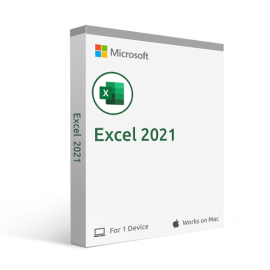
Excel is a powerful spreadsheet application that can help you organize and analyze your data. With Excel, you can create charts and graphs to visualize your data, and use formulas to calculate and track your results. Excel also makes it easy to share your data with others, so you can collaborate on projects or make decisions together. Whether you’re a student, a business owner, or just someone who wants to be able to understand their data better, Excel is the right tool for you.
Excel 2021 is the latest software version, including new features and improvements that make it even easier to use. With Excel 2021, you can now insert pictures into your spreadsheets and use the new conditional formatting options to highlight important data. You can also take advantage of the new data types and functions, which make it easier to work with large amounts of data.
If upgrading from an older version of Excel, you’ll appreciate the new Ribbon interface, making it even easier to find the features you need. And if you’re new to Excel, you’ll find the software easy to learn and use. No matter what your needs are, Excel 2021 can help you get the job done.
So why wait? Get started today with Excel 2021, and see how easy it is to take your data analysis to the next level.
The latest Excel 2021 gives you all the tools needed to take your data analysis to the next level. New features and improvements make Excel even easier to use, including inserting pictures into your spreadsheets and using conditional formatting options to highlight important data.
You’ll also find the new data types and functions make it easier to work with large amounts of data. And if you’re upgrading from an older version of Excel, you’ll appreciate the new Ribbon interface that makes finding features even easier. Get started today with Excel 2021!
Next-Gen Update
Excel 2021 is a major update to Windows’s most popular spreadsheet program. With this new version, you can expect faster operations and an improved user experience that will help in your workday! One of the biggest changes is the new ribbon interface that gives you quick access to all of the features you need.
In addition, Excel 2021 now supports 4K displays, so you can take advantage of higher resolutions for better clarity. Another welcome change is the addition of support for pivot tables, which should make data analysis much easier. Overall, Excel 2021 is a significant upgrade that brings many improvements to an already powerful program.
Visual Refresh
Excel 2021’s new and improved Start experience will help you get started right from the start. The Ribbon has been updated with a modernized design, while tabs in Excel’s tab bar make it easier than ever to access tools for your projects – all thanks to Monoline iconography which communicates action through simple visuals!
More Functions
The latest Excel 2021 adds multiple new functions to make working with large amounts of data easier than ever. The new IFS, MINIFS, and MAXIFS functions can be used to calculate results quickly based on the criteria that you specify.
You’ll also find that the new XLOOKUP function is much more powerful than the old LOOKUP function, and it can be used to find data in a table or range by row or column.
Dynamic Arrays
Dynamic Arrays is a feature in Excel that lets you write one formula and return an array of values. It’s great for users who want to save time on calculations, especially when they’re working with large data sets or tracking metrics over time! There are six new functions available with this update: FILTER, SORT, SORTBY, UNIQUE, SEQUENCE, and RANDARRAY.
Microsoft Search
Have you ever wished you could search for a specific piece of information in your Excel workbook, but didn’t know how? With Microsoft Search, you can do just that! This new feature lets you search for anything – from specific cells to entire worksheets – and find what you’re looking for quickly and easily.
Digital Ink
If you’re using a pen or stylus to input data into your Excel workbook, you’ll be happy to know that the latest update includes support for digital ink. This means that you can now write directly into your spreadsheet – no need to use a keyboard!
You can also use Ink Equation to insert mathematical equations directly into your workbook. Just write them out and Excel will convert them into text.
Here are the minimum system requirements for installing Excel 2021. We recommend exceeding these in order to guarantee yourself an enjoyable experience with the software:
-
Processor: 1.6 GHz or faster, 2-core processor.
-
Memory / RAM: 4 GB or more for 64-bit; 2 GB or more for 32-bit-based systems.
-
Hard disk: A minimum of 4GB of available hard disk space is required on the installation hard drive.
-
Operating System: Windows 10 or Windows 11 is required for Office 2021 apps.
-
Graphics: Graphics hardware acceleration requires DirectX 9 or later, with WDDM 2.0 or higher on Windows 10.
-
.NET version: Some features may require .NET 3.5 or 4.6 and higher to also be installed.
-
Other requirements:
- Internet functionality requires an internet connection.
- A Microsoft account may be required.
- A touch-enabled device is required to use any multitouch functionality.
- The functionality and graphics of the included applications may vary based on your system.